
Your taxes fund every agency.
You audit none of them.
Public spending is scattered and unaudited. ImpactLine brings every federal, state and local budget into one workspace with line-item detail and citations.

One dataset. A viewfor every reader.
Residents, researchers and analysts each get the view built for the questions they ask — from a single city line item to a fifty-state comparison.



Track how government money is spent
Follow your taxes from the federal budget down to your city's line items.
Explore budgets, agencies, and public spending
Compare agencies and fiscal years, then cite the filing behind every figure.
Compare fiscal data across states, cities, and years
Put one jurisdiction next to comparable ones on a single normalised schema.
Four ways intothe same budget.
Open any government on ImpactLine and the same set of tools is waiting, whether it is a federal department or a city of forty thousand.
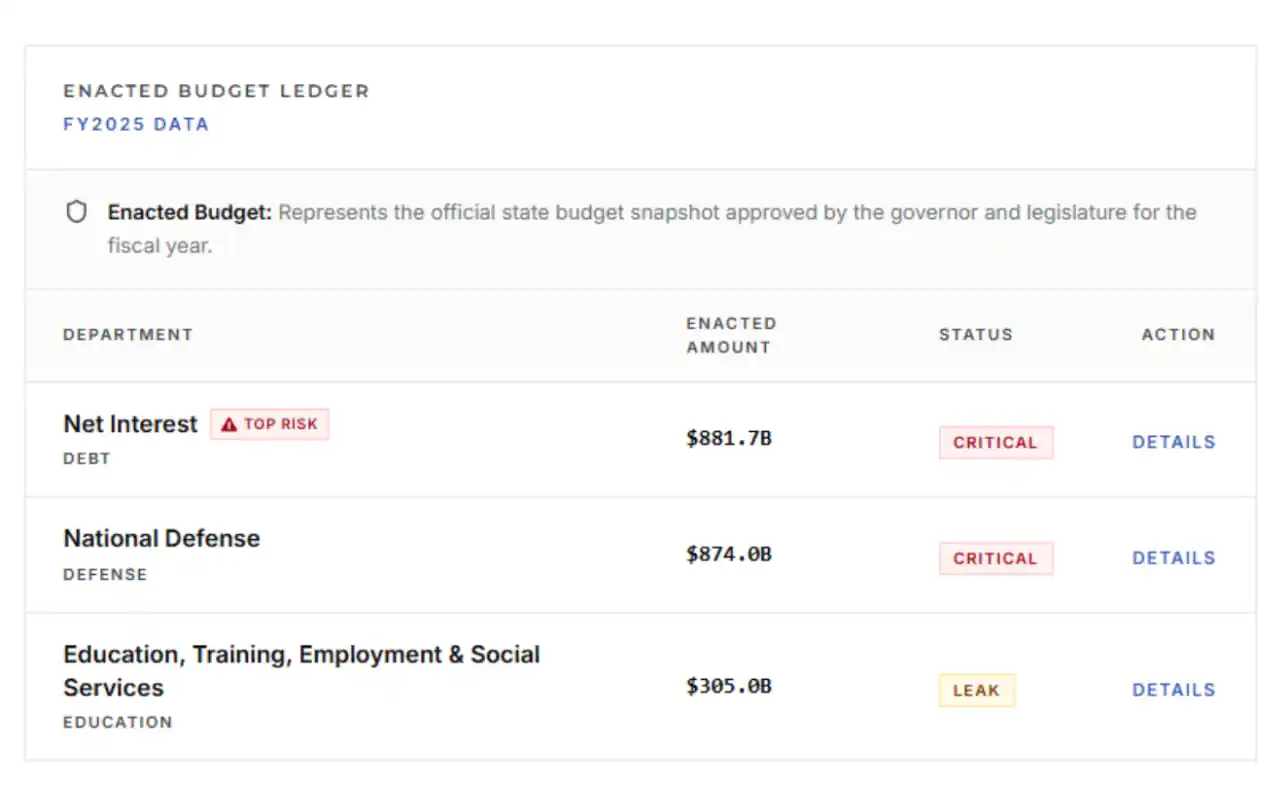
See every line of the budget
Every line, not just totals
Each item of spending gets its own row, with the agency and fund it belongs to.
Open up any total
Start at a department total and go straight to the individual programmes inside it.
Always dated
Every figure shows the fiscal year it belongs to and the filing it was published in.
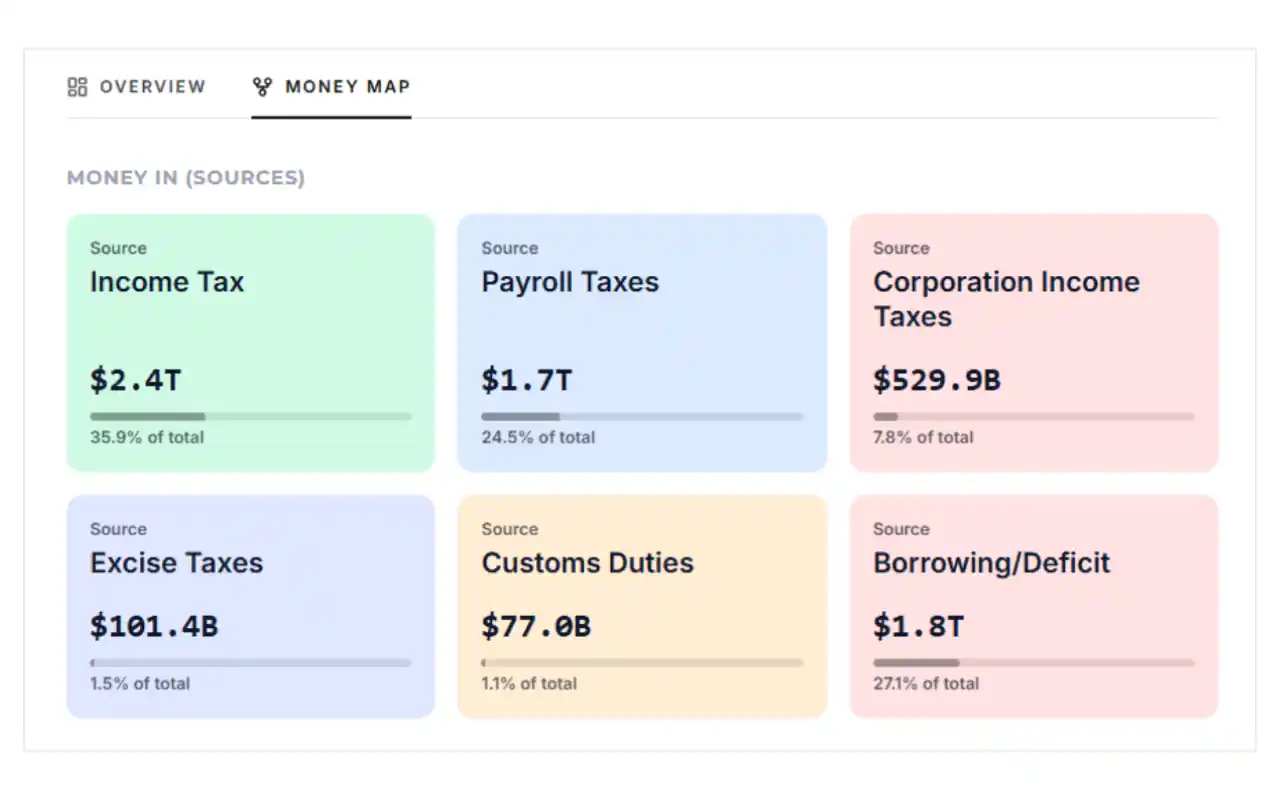
Follow the money from tax to programme
Start at the source
See which taxes and funds pay for each department.
Keep going past the agency
Trace an agency budget onward to the programmes and recipients it pays.
Every step is sourced
Each hop links back to the record that reports it.
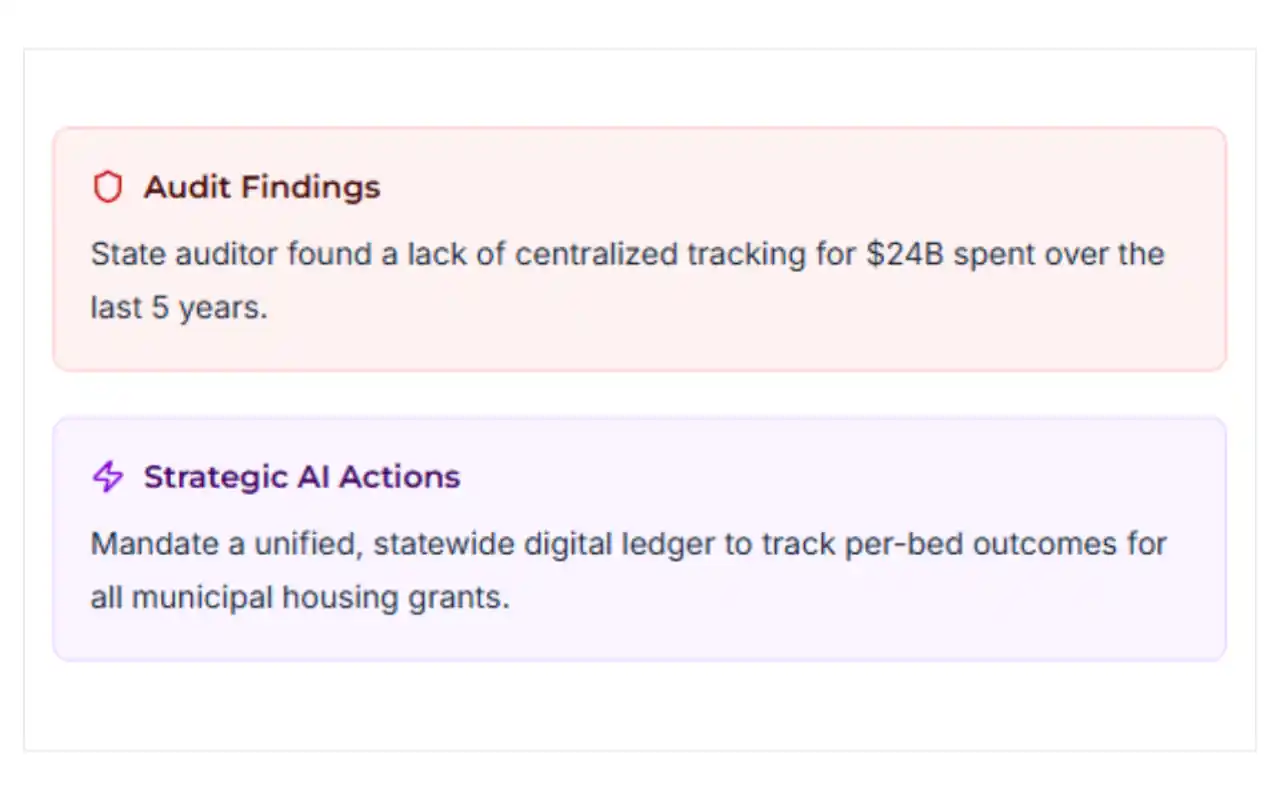
Audit findings and strategic actions for every agency
Automated audit findings
See risk assessments, outlay trends, and structural flags for each department.
Strategic AI actions
Review actionable recommendations and policy oversight for every budget category.
Fully source-backed
Every finding links directly to the enacted budget figures and official filings.
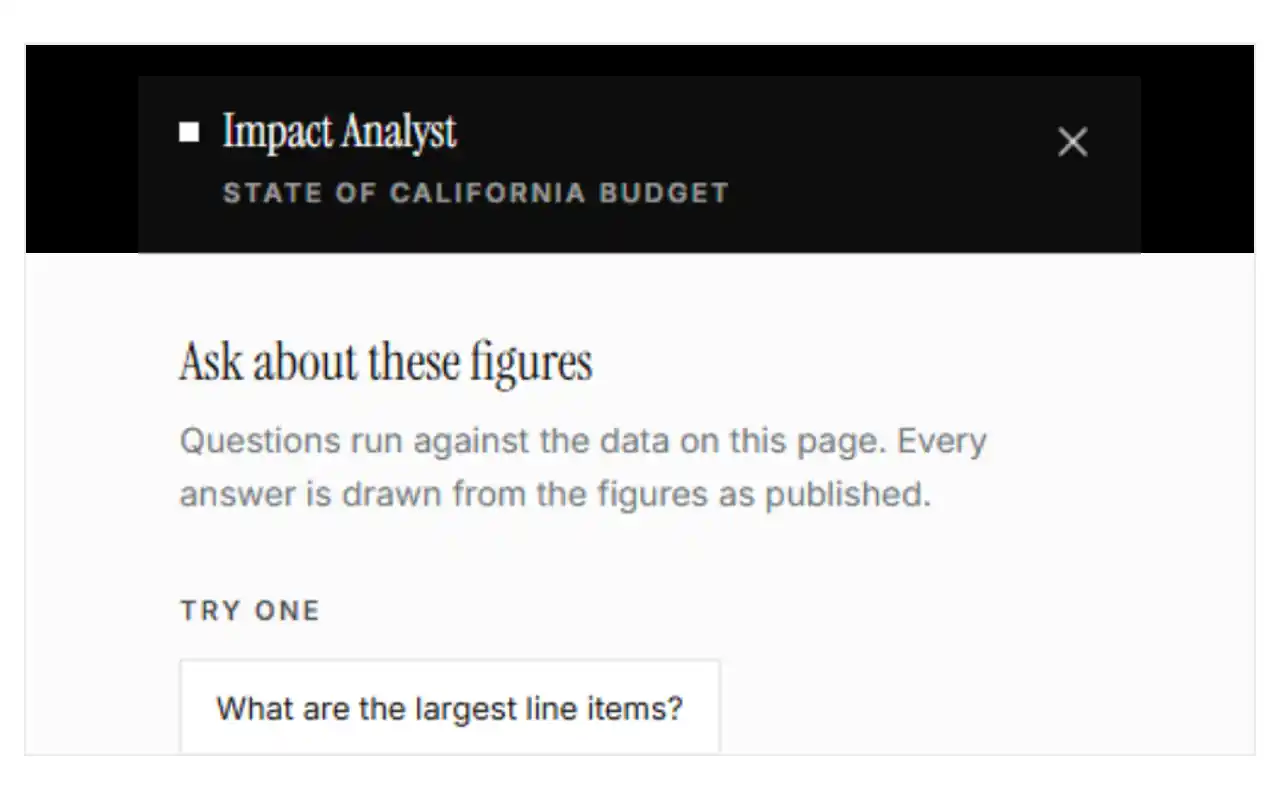
Ask a question in plain English
No filters to learn
Type the question the way you would say it out loud.
Answers show their source
Every answer lists the budget rows it was drawn from, so you can check it.
Stays on your page
Questions run against the government and fiscal year you are already reading.
55 governments live,one way to read them.
All 50 states have FY2024 reported spending with source records and FY2023 comparisons. Selected state dashboards also show enacted budgets. Federal and city records keep their own fiscal periods.
- Federal1 jurisdiction
- States50 jurisdictions
- California
- Texas
- New York
- Florida
- Minnesota
- Rhode Island
- Alabama
- Alaska
- Arizona
- Arkansas
- Colorado
- Connecticut
- Delaware
- Georgia
- Hawaii
- Idaho
- Illinois
- Indiana
- Iowa
- Kansas
- Kentucky
- Louisiana
- Maine
- Maryland
- Massachusetts
- Michigan
- Mississippi
- Missouri
- Montana
- Nebraska
- Nevada
- New Hampshire
- New Jersey
- New Mexico
- North Carolina
- North Dakota
- Ohio
- Oklahoma
- Oregon
- Pennsylvania
- South Carolina
- South Dakota
- Tennessee
- Utah
- Vermont
- Virginia
- Washington
- West Virginia
- Wisconsin
- Wyoming
- Cities4 jurisdictions
From a headline numberto the filing behind it.
The same three moves work on every government on the site — a city department reads the same way as a federal agency.
- 01
Pick a government
Start with the federal budget, or go straight to your state or city. Every jurisdiction opens on the same overview, so you never have to learn a new layout.
- 02
Open the budget
Revenue, appropriations and agency-level detail, broken down so you can see what sits underneath each total instead of stopping at the headline figure.
- 03
Follow it to the source
Each view shows the fiscal year it covers and points back to the published record behind it, so you can read the original for yourself.
Before you dig in,the common questions.
Short answers on what ImpactLine costs, where the figures come from and which governments are covered.
Yes. Reading budgets on ImpactLine costs nothing and doesn't require an account.
From each government's own published filings and data services. Every view shows the fiscal year it covers and links back to the record it was drawn from, so you can read the original yourself.
We don't add estimates or fill in values a government hasn't published. Figures are presented as they were published for the fiscal year shown, reorganised into a common structure so jurisdictions can be compared side by side.
It depends on the government. Some publish continuously, others once a budget cycle. Each page states the fiscal year the figures belong to, so you always know which year you're reading.
All 50 states have reported FY2024 general expenditures from the Census Bureau, with FY2023 comparisons and downloads. Six existing state dashboards and Mississippi also have enacted-budget records. Federal coverage and four city dashboards retain their own sources and fiscal periods. The city directory also includes 35,395 municipal and town/township identities from Census public-use files, with source flags and reporting limits on individual finance entries.
No. ImpactLine is independent and not affiliated with any government or agency. It reads public records that governments publish and presents them in one place.
It's your money. Go and look at it.
Start with the federal budget, then narrow to your state and city —the same breakdown, the same sources, all the way down.